
At EasyTechJunkie, we're committed to delivering accurate, trustworthy information. Our expert-authored content is rigorously fact-checked and sourced from credible authorities. Discover how we uphold the highest standards in providing you with reliable knowledge.
Which Monitor Type is Better, LCD or CRT?
In the past, CRT monitors were the only choice for desktop systems, while LCDs were built into laptops. By the late 1990s, people could choose between the two. As technology has improved, it's actually become more difficult to buy new CRTs, while flat screens have become the standard. Although LCDs were once quite expensive, prices have dropped considerably. CRTs still have pros, however, including clarity and reliability.
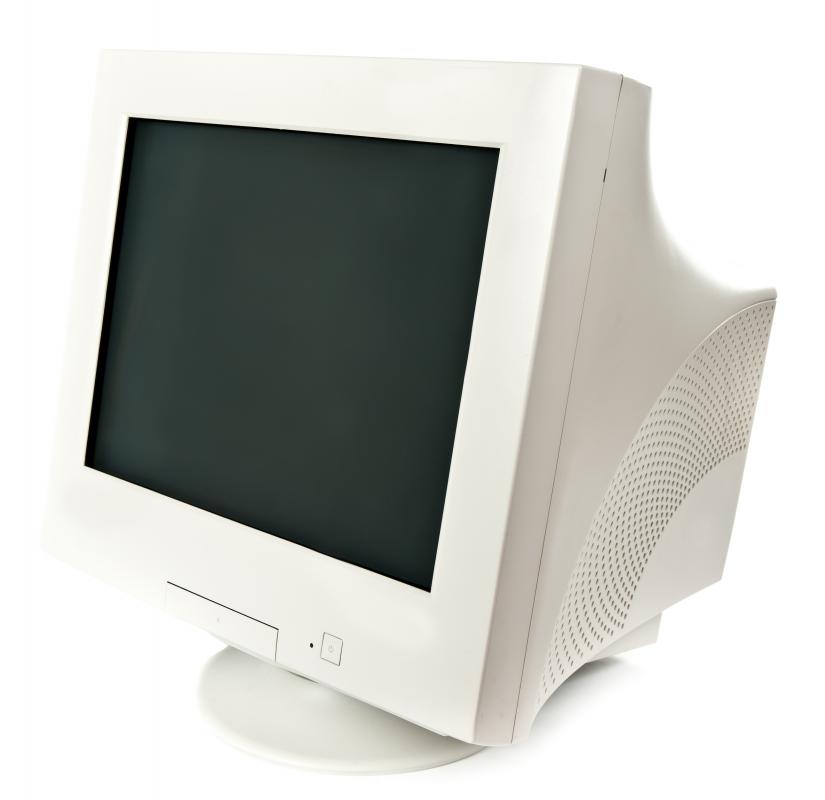
The traditional CRT monitor resembles a television set and uses the same technology. They have many pros: they are inexpensive, dependable, have good clear pictures and can be viewed from any angle. Unfortunately, they are also heavy, have a large footprint, aren't environmentally friendly, and emit a fair amount of low-frequency radiation thought to be unhealthy.
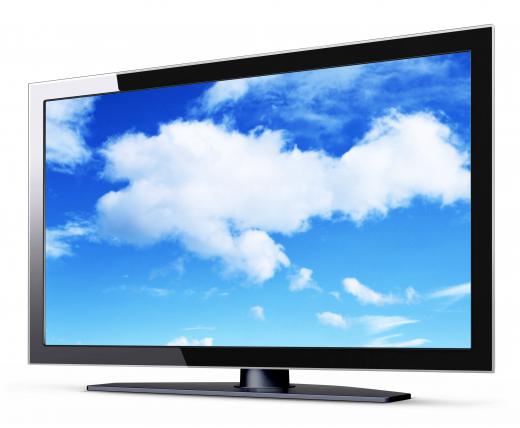
LCDs or flat panel displays weigh under 10 pounds (<4.5 kilograms), are only a few inches thick (<7.5 cm), consume only one-third to one-half the power of CRTs, emit very little radiation, and provide a crisp bright display that's easier on the eyes. The main drawback of early LCDs was that the display would "wash out" when viewed off center. Fast-moving images would also "ghost" or create distracting trailing artifacts due to slow pixel response rates.

As the technology improved, however, LCDs improved in all areas with sales overtaking CRTs in 2003. Even with these improvements, arguments continue that CRTs remain better suited to graphics professionals and to those who require consistent color regardless of viewing angle. Video editors, game developers or anyone who works with fast moving images in a professional capacity might also prefer a CRT, though it seems safe to assume diehard devotees have shrunk over the years. The remaining draw for the older technology is cost, appealing to those on a budget or to those who only use their computers infrequently, as a used CRT can be picked up for next to nothing. The price for new LCDs has dropped dramatically in recent years, however.

Nevertheless, the contest between the two is over for most. LCD monitors have extraordinary color and graphics with much crisper text and a screen that is easier on the eyes, reducing strain and headaches that sometimes accompanied long hours on a CRT. They are also great for long hours in text-based applications like word processors or spreadsheets, and they don't require anti-radiation screens.
Choosing a model with a wide viewing angle effectively eliminates "wash out," while faster response rates have eliminated ghosting. With reduced eyestrain, great color, and virtually no fading or ghosting, a good LCD is a great choice for the whole family. Whether gaming, putting together a family photo album, surfing, doing homework or writing out proposals for work, the LCD will take up less space while using less electricity and emitting less radiation.
Because of its many advantages, LCDs have essentially overtaken CRT technology. Aside from graphics professionals, deciding between an LCD or CRT today might apply best in nations or regions where digital displays are scarce and the application requires the least expensive option, like in rural schools or non-profit and humanitarian aid organizations in third world nations. In these cases, the dutiful CRT will serve well and may be purchased inexpensively.
People who are interested in purchasing an LCD monitor should note that standardization in specifications is lacking. A viewing angle might actually be greater than advertised, or narrower. Response rates can also vary from manufacturer to manufacturer, so a direct comparison between different models can be misleading when judging from specs alone. Shoppers may find it helpful to read reviews from people who already own the product, along with professional reviews.
AS FEATURED ON:
AS FEATURED ON:









-
![LCD monitor.]()
LCD monitor. -
![CRT monitor.]() By: Ruslan KudrinCRT monitor.
By: Ruslan KudrinCRT monitor. -
![LCD monitors may cause less eye strain than CRTs.]() By: Innovated CapturesLCD monitors may cause less eye strain than CRTs.
By: Innovated CapturesLCD monitors may cause less eye strain than CRTs.


Discussion Comments
For me, crt is always better. i play games so the response and viewing angle is a must, and also you don't get a headache and red eyes once you are "trained" enough, so until lcds (or some other technology) monitors are better, i keep the crt and save money.
Another option for those who use desktop PCs is to hook up an HDTV to your computer instead of an LCD or CRT monitor. The benefit of this is they can double as a television while only having one power hungry appliance draining your electricity. The TV option is also a better option for gamers, or those who use their computers as multimedia devices. You can watch movies, youtube videos, and other streaming video right on your television; almost eliminating the need for cable and the hefty bill that comes with it.
This may not be the best option for families with children or a busy household that is always connect to either the internet or the television, but it could work well for singles and couples. It worked for my fiancée and me, but since my daughter has been born, it seems like she has hijacked my television as a device to watch the newest episodes of Dora the Explorer and Yo Gabba Gabba.
Nice Article and it's helpful for those who are in the cyber for a long period or all day. After reading this, one can understand how to buy the proper monitor when they buy a PC.
Post your comments