
At EasyTechJunkie, we're committed to delivering accurate, trustworthy information. Our expert-authored content is rigorously fact-checked and sourced from credible authorities. Discover how we uphold the highest standards in providing you with reliable knowledge.
What Is Mbps?
Megabits per second (Mbps) refers to data transfer speeds as measured in megabits (Mb). This term is commonly used in communications and data technology to demonstrate the speed at which a transfer takes place. A megabit is just over one million bits, so "Mbps" indicates the transfer of one million bits of data each second. Data can be moved even faster than this, measured by terms like gigabits per second (Gbps).
Understanding the Megabit
A bit is a single unit of data, expressed as either a "0" or a "1" in binary code. A string of eight bits equals one byte. Any character formed, such as a letter of the alphabet, a number, or a punctuation mark, requires eight binary bits to describe it. For example:
- A = 01000001
- B = 01000010
- a = 01100001
- b = 01100010
- 6 = 00110110
- 7 = 00110111
- ! = 00100001
- @ = 01000000

A megabit actually has two different values, depending on the context of the term. When used to describe data storage, a megabit (Mb) is the equivalent of 220 or 1,048,576 bits. However, when used to describe data transfer rates, one Mb equals 1,000,000 bits. Therefore, 1 Mbps is equal to 1,000,000 bits per second, not 1,048,576.
Distinction Between Megabits and Megabytes

In addition to the confusion over the value of a megabit, some people can also confuse the megabit (Mb) and the megabyte (MB). As noted earlier, one byte (B) is comprised of 8 bits (b). The distinction between megabytes in data storage and transfer contexts is the same as megabits and can lead to additional confusion. However, 1 megabyte per second (MBps) is equal to 8 Mbps (megabits per second). It is important to notice that the capital "B" is what distinguishes between megabits per second (Mbps) and megabytes per second (MBps).
Usage in Networks
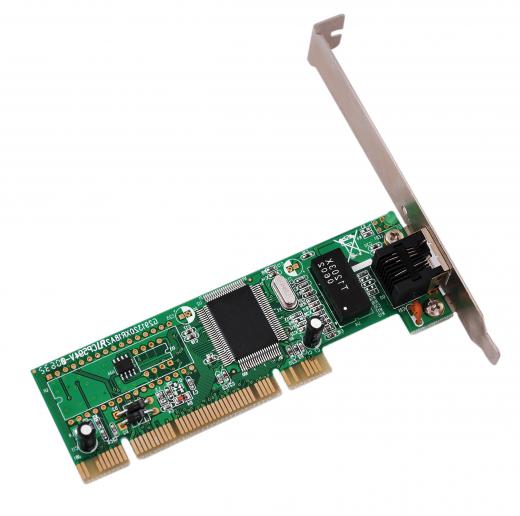
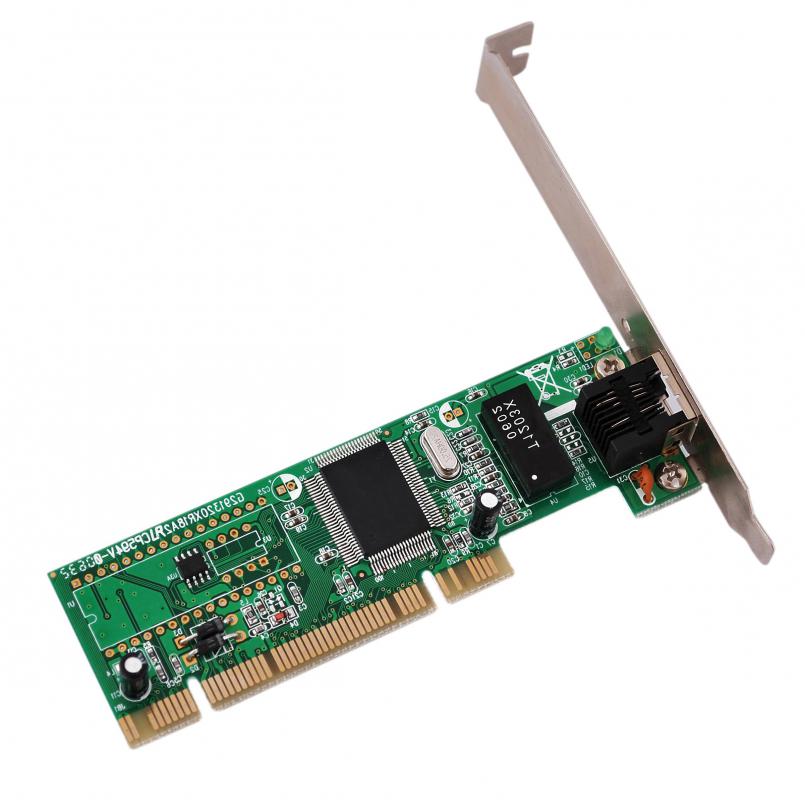
Networking technologies are commonly rated in terms of megabits per second. This includes phone-line networks, wireless communications, and commercial or public networks like the Internet. Companies that sell high-speed service often advertise data transfer speeds in terms of Mbps, though some also use 1,000 bits or kilobits per second (kbps). Wireless routers and network interface cards (NICs) are among the hardware devices generally evaluated and advertised in terms of data transfer rates.
When purchasing equipment, customers should compare speeds properly between components to ensure they get the best possible rates. It is important to buy components that support equal speeds, as the slowest component will often determine the speed of the connection. For example, if a wireless router supports speeds up to 54 Mbps, upgrading to an NIC that supports up to 108 Mbps will make little difference without upgrading the router as well. The higher speed of the card may get data more quickly from the router to the computer, but the router itself can only transfer data at half that speed.
Faster Speeds
As communications technology continues to advance, the speed of data transfers also increases. In much the same way that memory has moved from megabytes to gigabytes, data rates are also changing from megabits to gigabits. A gigabit is one billion bits or 1,000 megabits.
What Does Mbps Stand For?
Simply put, Mbps stands for megabits per second. It’s how data transfer rates are commonly measured — namely the amount of data that can move from its origin point to its destination within one second. A higher Mbps rate means that more data can move through the proverbial pipeline, whether that’s physical cabling or wireless connections. And that translates into faster data transfer.
Why does Mbps matter? Well, let’s put this into perspective for a moment. Remember that a megabyte is a unit of data storage, and it takes 8 bits to comprise one byte. To truly assess data transfer speeds, you need to think of file sizes in terms of megabits instead of megabytes. Fortunately, all you have to do is multiple your file’s size in MB by eight. For instance, a 170 MB video works out to 1,360 megabits. If your data transfer speed is 1,000 Mbps, your 170 MB video would move from Point A to Point B in just over one second.
Is Kbps Faster Than Mbps?
Now that you understand Mbps, let’s take a look at Kbps — kilobits per second. As the “kilo-” prefix implies, it takes 1,000 bits to make a kilobit. Multiply one kilobit by 1,000 and you have 1,000 kilobits, which equals one megabit.
Data Transmission With Dialup Modems
When modems were first invented, data transfer rates were expressed in bits per second. Debuting in 1962, the Bell 103 modem was groundbreaking for its time. As the first commercially available modem, it boasted data transmission rates of 300 bits per second. That equals 37.5 bytes, which is hardly anything in today’s file sizes.
Later dial-up modems offered faster speeds. When the first 56 Kbps modems came out in the mid-1990s, they were faster than almost anything else on the market. But compared to 2021 speeds, that’s still incredibly slow. When your transfer rates are in kilobits per second, you’re moving a smaller amount of data through your connection. Your 1,000 Kbps speed works out to only 1 Mbps.
File Sizes and Data Transmission
Let’s see how data transmission on old-school dial-up modems works. Consider that a Microsoft Word document containing around 600 words can take up about 20 kilobytes of data. Multiply that 20 KB figure by eight to get a size of 80 kilobits, or 80,000 bits.
Assuming that the Bell 103 modem maintains a consistent speed of 300 bits per second, it would take 267 seconds, or about four and a half minutes, to send that 20 KB Word file. With a 56 Kbps modem, such a transfer takes just over one second.
But what about your 170 MB video? It contains 1,360 megabits of data, which in turn works out to 1.36 million kilobits and a whopping 1.36 billion bits. Don’t even think about sending that video through the Bell 103 — it would take you just over 52 days, assuming your dialup connection didn’t terminate. On the 56 Kbps modem, that same video takes almost seven hours to transfer.
What Is a Good Mbps?
The huge difference between bits, kilobits, and megabits illustrates how far data transfer technologies have come. Having a 56 Kbps modem was an awesome thing 25 years ago when it first debuted on the market. Need to send an email to your boss with a two-page MS Word 95 document? No problem.
We take our media-rich internet for granted. But remember that video and audio take up more data. Watching or uploading videos online back in the mid-1990s required smaller file sizes, and in turn, lower video quality. Think about that “dancing baby” vid and you get the picture.
Yet with modern broadband internet, most files can be sent in seconds. Japanese engineers recently achieved 319 terabits per second using advanced fiber optic cables. But speeds like that aren’t within reach for home users. Still, you can find fast internet that meets your needs.
Gigabit Internet Speeds Available
Internet speeds must meet or exceed 25 Mbps to be considered adequate. Service providers in some markets offer up to 1 Gbps or 2 Gbps download speeds, which translate to 1,000 Mbps and 2,000 Mbps respectively. Ultimately, it boils down to what best meets your needs. If your household uses multiple devices for streaming, you may get mileage out of a plan offering 200 Mbps or faster. Gamers often choose faster plans above 500 Mbps.
When you’re looking at broadband internet service, you may need to evaluate both download and upload speeds. Telecommuters, digital content creators, and competitive gamers should consider services with upload speeds of 6 Mbps or greater.
AS FEATURED ON:
AS FEATURED ON:









-
![Network interface card (NIC), which is one of the pieces of hardware evaluated in terms of data transfer rates.]()
Network interface card (NIC), which is one of the pieces of hardware evaluated in terms of data transfer rates. -
![Mbps is the unit defining the speed of transfer for a wireless network device.]() By: ScanrailMbps is the unit defining the speed of transfer for a wireless network device.
By: ScanrailMbps is the unit defining the speed of transfer for a wireless network device. -
![An ADSL modem can deliver Internet speeds of up to 3 mbps.]() By: Petr MalyshevAn ADSL modem can deliver Internet speeds of up to 3 mbps.
By: Petr MalyshevAn ADSL modem can deliver Internet speeds of up to 3 mbps.


Discussion Comments
I think 1Mbps is fine for general internet surfing. You only require 10Mbps or more for lots of downloading but it all boils down to can you wait 24 hours for a big download or 5 mins. Most internet websites will load up just as quickly though once you hit 1mbps.
So yes 1mbps is ample for email, browsing, small downloads or big downloads if you are prepared to wait a lot longer.
I spent hours with service techs from both Time Warner and Cisco, who couldn't explain why I could get 54mpbs data speeds on the internet when their signal to the modem, as they explained it, had a range of 1-15 mpbs. Of course we were talking on the phone so there was no capitalization, but you think they'd know the difference between bit and byte. All they could say was "it's different between the router and the modem." No clear understanding of what the difference was, exactly. Like the router somehow amped up the signal. This article should be required reading in the training of any service tech.
What gets me is DSL says their speed is 7mbps and my adapter is rated for 300mbps. So what the heck is 7mbps do they mean 70 or 700 or 7,000?
If you go to broadband report my 1.5 mbps connection checks out at 1500 mbps. So what is up with this?
I'm wanting to get netflix so I can watch movies on my computer because I'm home bound and can't afford the high cost of cable on SSI. I have cricket for my phone and computer. Netflix says I need 500kbps, cricket says their speed is 1.4 Mbps. Will this work? Will I have to sit and wait 30 seconds to watch five minutes of a movie?
So I can get on the internet by using wifi ubs wireless network adapter and a bearextender in most hot spots.
I have been using my internal wifi to connect to a public hot spot. I usually get 2-6 mbps, but still the computer surfs relatively good, no dropped signal. However, I want more strength, more signal coming to my laptop so I did a search all over the web and saw many products available. I found a good product and I now get 54 mbps and many, many wifi signals to choose from. I picked up nine more wifi signals than what I had before. The product name is Bearextender for both Mac and Windows. Shipping is awesome. Received it in three days. Price isn't so bad, either. Well worth it. No more low signal for me.
good informative article. Two days back i had fight with my ISP. She was multiplying my download rate with 8 to which i argued with her (i miss understood mbps). But now i understand what she meant. Thanks
nice article. thanks.
Excellent article -- the best explanation I was able to find quickly through a search engine, in fact.
it's nice information. thank you.
nice article.
oh my god, 1Mbps is a satisfactory speed?, i have a 12Mbps connection that means kind of 1.5 Mb/s on external download, and it really ticks me off. i will double it, for for more money, it is reasonable, but it will continue to tick me off because is a big difference between 24Mbps and 84Mbps that i had.
this information was important for all those who are for computers.
Thank you: this is very informative. Clearly expressed and laid out. I'll certainly be referring to this site often - sub-editor
Wonderful. Now I know the difference. thank you.
aha very nice article.
About calculators - you can actually punch your conversion directly into some search engines and it will do the conversion for you.
About satisfactory connections - I have used 512 kilobyte (0.512 mbps) for ages without major complaints. You do have to wait for things, but not as long as one might expect, and it's a very cost effective internet solution. I'm now on 1 mbps and the gain is certainly nice, but then again 512k wasn't frustrating to begin with.
Is 1Mbps a satisfactory speed for normal internet surfing? I enjoy downloading pictures and some software,would this speed be acceptable
There are megabit (mb) to megabyte (MB) calculators available online. A simple search for "megabit to megabyte calculator" should get you to one....
Post your comments