
At EasyTechJunkie, we're committed to delivering accurate, trustworthy information. Our expert-authored content is rigorously fact-checked and sourced from credible authorities. Discover how we uphold the highest standards in providing you with reliable knowledge.
What is Data Storage?
The term data storage can refer to anything with information recorded on it. Using this broad definition, a hardback volume of an encyclopedia, an audio cassette of a pop song, and even a piece of paper with random words written on it would all be considered examples. The most popular definition of the term limits it to only the storage of information on computers and similar devices.
Everything a computer “knows” or is able to “know” is called computer data. This includes e-mails, text files, digital pictures, and databases. Computer data storage can be divided into two main categories: primary and secondary. Each is important, but the secondary type is usually what people think of when they use the term.

The information that a computer has at any given time is technically what data its central processing unit (CPU) can directly access. This information is called memory, and the components that store it are considered primary storage. Memory is mainly stored on Random Access Memory (RAM). There are many types of RAM, but they usually come in the form of modules that plug into a specific slot inside the computer. This type is constantly being erased and rewritten, most often from secondary storage.

Secondary data storage represents all of the other types not included in the primary storage. Though some experts previous used an additional category called tertiary, technological advances have blurred the differences between the secondary and tertiary levels to the point that only one term is necessary. Internal hard disk drives, CD-ROM disks, and flash memory sticks are all examples of this type of storage. There are so many different types that this category can be further divided into three different areas: on-site, removable, and off-site.

On-site storage represents any type of storage device that is designed to remain with the computer or at a single location where the computer is housed. The most common on-site device is a hard disk drive, and it is included in almost every personal computer. Solid state drives and network attached storage are also examples of such devices.
Removable memory is any type that is designed to be easily removed from a computer. This type has become more common than on-site types in modern times. The big disadvantage of this type used to be that data access time was much slower than on-site, but speed improvements have decreased this to within acceptable limits for many common applications. CD-ROMs, DVD-ROMs, USB flash drives, and portable hard disk drives are all examples.

Off-site data storage is one of the most recent types of storage. In this type, information is stored away from the computer at a distant location. This data can then be accessed either by a direct call or through the Internet. This type of storage has the advantage of being available if something happens to the on-site computer system.
There are disadvantages to off-site storage compared to other types, both because of how long it takes to access the data and because it can be less secure. Examples of this type include electronic vaulting, on-line file hosting services, and on-line photo sharing websites. It is also a primary aspect of cloud computing.
AS FEATURED ON:
AS FEATURED ON:









-
![Thumb or flash drives are small, personal, external data storage devices that generally connect to a computer's USB port.]() By: Jeka84Thumb or flash drives are small, personal, external data storage devices that generally connect to a computer's USB port.
By: Jeka84Thumb or flash drives are small, personal, external data storage devices that generally connect to a computer's USB port. -
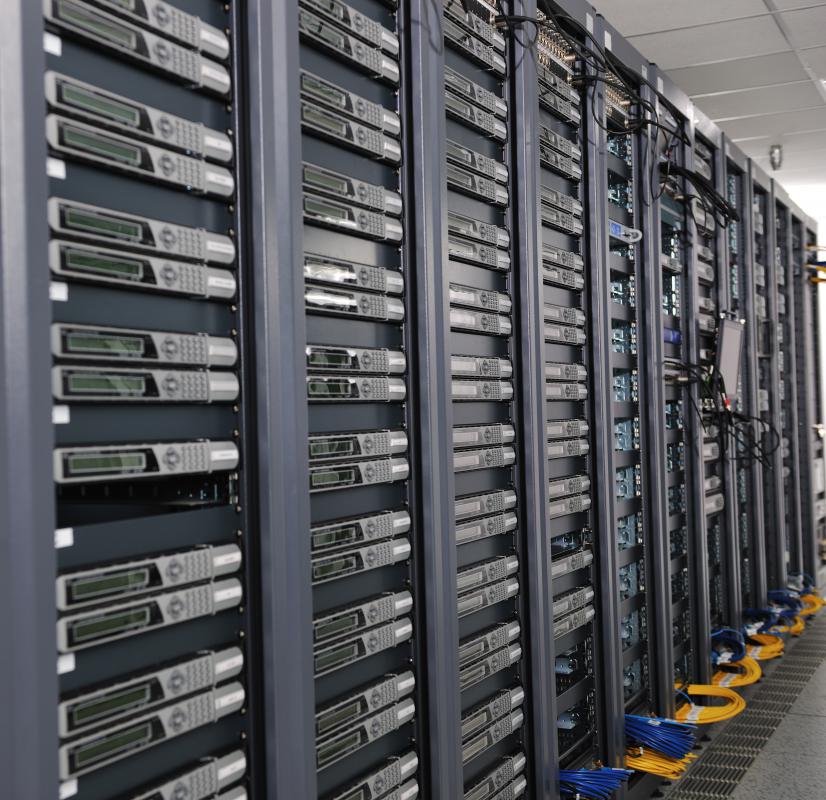
![Servers are used to contain data.]()
Servers are used to contain data. -
![Reference books may be considered as examples of data storage when using its broad definition, as anything containing recorded information.]() By: malekasReference books may be considered as examples of data storage when using its broad definition, as anything containing recorded information.
By: malekasReference books may be considered as examples of data storage when using its broad definition, as anything containing recorded information. -
![Online photo sharing websites are examples of off-site data storage.]() By: nitoOnline photo sharing websites are examples of off-site data storage.
By: nitoOnline photo sharing websites are examples of off-site data storage. -
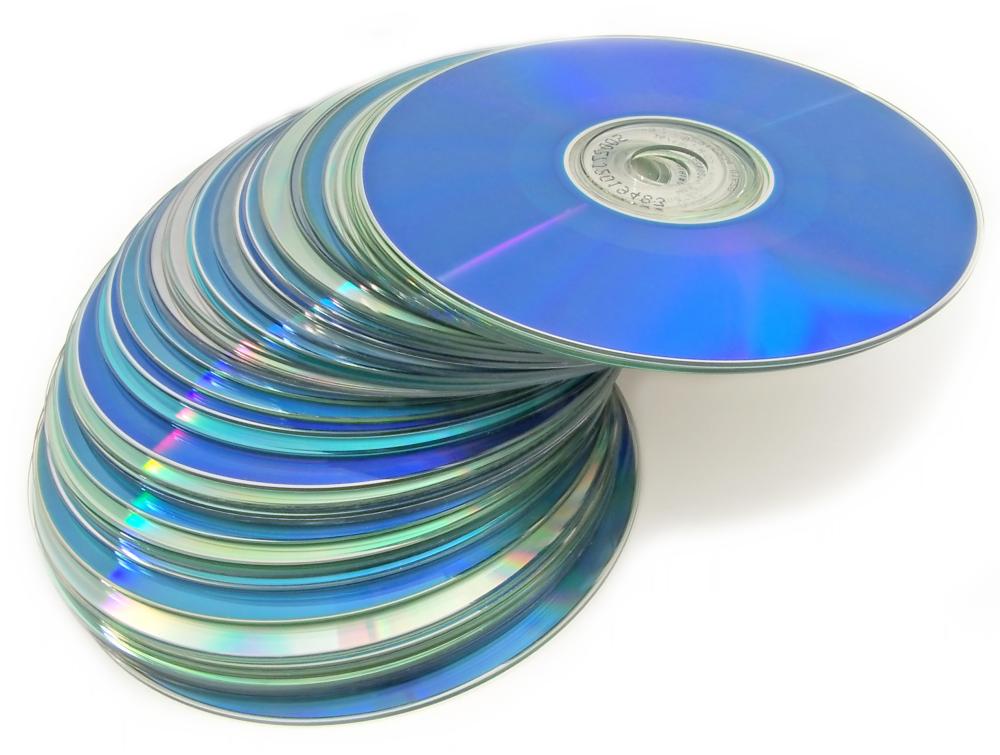
![CDs and DVDs can be used for data storage.]()
CDs and DVDs can be used for data storage. -
![A hard disk drive, a means of data storage.]()
A hard disk drive, a means of data storage. -
![Data may be stored on external hard drives.]() By: strannik9211Data may be stored on external hard drives.
By: strannik9211Data may be stored on external hard drives. -
![Micro SD cards are the smallest form of data storage.]() By: Arvind BalaramanMicro SD cards are the smallest form of data storage.
By: Arvind BalaramanMicro SD cards are the smallest form of data storage. -
![Small amounts of data might be stored on a floppy disk.]() By: Konstantin EmelyanovSmall amounts of data might be stored on a floppy disk.
By: Konstantin EmelyanovSmall amounts of data might be stored on a floppy disk. -
![CDs and DVDs can be used for data storage on a laptop computer.]() By: imagedb.comCDs and DVDs can be used for data storage on a laptop computer.
By: imagedb.comCDs and DVDs can be used for data storage on a laptop computer.





Discussion Comments
I believe in these external data storage drives, just because I bought one of them and now i am very happy about it.
I have been learning more and more about computers, embedded computers, and technology in general. It seems that the more I learn about it, the more I want to continue to learn about it and the more I want to understand it.
External hard drives seems to be the bet type of memory device to use. You can take it virtually anywhere you go and have access to it. Is it possible for someone to hack your computer, install some type of program where as soon as you insert your external hard drive or usb into the cpu or laptop they can take the information from your external hard drive or USB? If so, then nobody's information is safe all the time. That would stink bad if this is possible.
I believe a company that manufactures computers should design a computer to where they can track the user as soon as that user tries to hack another computer. I also feel that companies who manufacture computers should design computers in a way where the computer sends out an onslaught to where a virus originates or comes from or attack the virus back so that it doesn't harm the computer system and data stored on the computer.
Yes we can run applications from a flash drive and even use them without installing portable software. --Syed J.
How reliable are USB flash drives? I've always just burned everything I wanted to take with me onto a CD. I've seen some flash drives that are 4GB, it would be easier to just use that instead of a folder of CDs.
Can you run an application from the flash drive?
Post your comments