
At EasyTechJunkie, we're committed to delivering accurate, trustworthy information. Our expert-authored content is rigorously fact-checked and sourced from credible authorities. Discover how we uphold the highest standards in providing you with reliable knowledge.
What Is a T Drive?
A T drive is a backup storage area on a computer network or individual computer hard drive. It's typically added or partitioned and used as a back-up to a computer’s primary C drive, and is often thought of as something of a precursor to cloud storage. Cloud storage is different in that it holds backup material remotely online, though; with a devoted drive, everything stays local. This does require a lot of free memory in most cases. Like cloud-based backups, These drives are especially useful should a computer freeze, blue screen, or be rebooted before any file changes are saved. Users can typically restore files and data almost instantly. Drives also usually allow for remote access from a secure connection. One of the biggest advantages of partitioning an existing drive and creating a localized backup is security; in a partitioned drive scenario nothing is held externally, online or otherwise, which significantly minimizes the chances of data breach or corruption. Creating this sort of drive is usually somewhat complex, and in most places there are a number software companies with competing products designed to guide users through setup and use.
Partitioning Generally
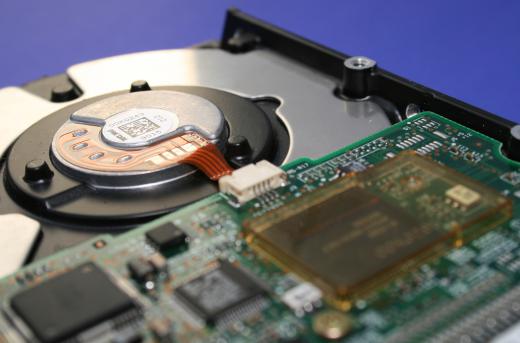
Computer hard drives can be partitioned for a variety of reasons. Partitioning simply means that the data storage component of a computer is broken down into discrete areas. These storage areas, or drives, are often differentiated by letters — the C drive, D drive, E drive, etc. Should some data stored on a computer become corrupt, the other, partitioned data is generally protected. Partitions also help allow one machine have multiple operating systems, such as Windows and Linux.
Overarching Importance

Backup and restoration are the primary goals of a T drive. In the event of a computer freeze or system crash, any changes that have been made to files stored on a machine’s primary C drive will often be lost. When this sort of drive is present, though, it can often serve as a template for backup.
Remote storage and access are also potential benefits. Computers available in public labs, such as those found at universities and in libraries, tend to erase all the information stored on the desktop C drives when the computers are rebooted, usually as a means of protecting the functioning of the machines and because long-term data storage is typically not the basis for these public computers. In most cases, anyone using public computers should rely on USB memory sticks, CDs, CD-RWs or zip disks to store any information they wish to take with them. In some settings, like schools, users are permitted to store data to a T drive that can later be accessed from home or another on-site network site, such as in a dorm room.
Data Retrieval

When a computer does shut down unexpectedly, lost data can often be retrieved from the drive because it is typically not erased when the computer shuts down. Since information stored on the T drive is often only there for a short time, quick retrieval is usually important. Operators can and often do allow access, usually with a network password. Most of the time the files are broadly open, which means that all users can see everything stored there. This isn’t a good place for people to store proprietary or sensitive information, then, but it can be an effective way of allowing mass access and remote storage for groups.
Business Uses
Businesses can also benefit from the data backup applications of these drives because the drives often save IT personnel from having to spend valuable work time dealing with specific requests for backup and access. They aren’t without their downsides, though. Sometimes they will prevent automatic software updates which can be necessary for things like virus protection, and as such they often have to be disabled to allow for software updates.
Market Competition
Software companies offer a number of competing data backup applications. Popular examples of these applications include Microsoft’s SteadyState, Symantec’s Norton GoBack and Faronics’ Deep Freeze. These programs effectively “freeze” a user’s computer at a specific moment in time, allowing all data and settings to be restored as they were before the machine was rebooted.
AS FEATURED ON:
AS FEATURED ON:









-
![A T drive is often used as backup storage for the C drive.]() By: HesteroA T drive is often used as backup storage for the C drive.
By: HesteroA T drive is often used as backup storage for the C drive. -
![A computer with a T drive backup may be more likely to retain files during a blue screen error.]() By: CoCreatrA computer with a T drive backup may be more likely to retain files during a blue screen error.
By: CoCreatrA computer with a T drive backup may be more likely to retain files during a blue screen error. -
![T drives are usually not found on public computers.]() By: spotmatikphotoT drives are usually not found on public computers.
By: spotmatikphotoT drives are usually not found on public computers.


Discuss this Article
Post your comments