
At EasyTechJunkie, we're committed to delivering accurate, trustworthy information. Our expert-authored content is rigorously fact-checked and sourced from credible authorities. Discover how we uphold the highest standards in providing you with reliable knowledge.
What Causes the Error Message "Floppy Disk Failure"?
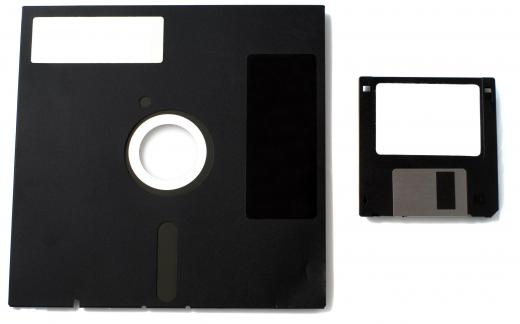
Though floppy drives are quickly being phased out, they are still present on many older systems, networks, and personal computers. A floppy drive reads removable disks, typically 1.44 megabytes in capacity. Prior to memory sticks with their larger capacities and faster speeds, people used the disk to transfer files and programs — even to save the day in the case of a hard disk crash. From time to time, one or more factors can come into play that will cause the error message: Floppy Disk Failure. This can be caused by the drive not being enabled, not being connected properly, having something stuck in it, or simply wearing out.
When a computer is booted up, a series of processes begin. The BIOS chip on the computer sends messages to installed hardware devices to make sure the devices are working properly. Floppy disk failure typically occurs at boot up if the system BIOS chip cannot initialize the floppy drive. This might happen if the drive is not enabled. On most computers, this can be checked by looking at the BIOS settings, which can often be done by pressing the DELETE key during the boot process. If this is the problem and can be corrected, the computer users will likely need to press the F10 key to save the changes and exit.

Assuming that doesn’t fix the problem, the user will want to check the connections to the drive itself. If the floppy drive was just installed, there is a high likelihood that the cable that runs from the motherboard to the drive was either forgotten, not seated properly into its connector, or was installed backward. In the latter case, the LED light on the floppy drive will come on at boot and remain solid, indicating a floppy disk failure. Normally, the LED light will blink on briefly at boot, then turn off.
When installing a floppy disk drive, the user should note that the accompanying parallel cable will have a red stripe along one side. Pin #1 on the floppy drive’s interface should be matched to the red side of the cable. Most drives today are made so that it is hard to insert the cable backward, but this isn’t true in all cases, and if switched, the computer will give a floppy disk failure message at boot. If the parallel cable is properly inserted and seated, the computer user should check for an attached power cable running to the computer’s power supply. An overlooked power cable will also result in disk failure.

It is relatively rare that a new cable is bad, but if everything is correctly installed and the drive still isn't working, the user can try swapping out the new parallel cable that came with the drive for an older one that has been used successfully in the past. Troubleshooting is a process of elimination, so the person may need to try a different power supply cable as well.

If the user is still getting a floppy disk failure, the drive itself could be bad. He can try installing the drive into another computer, just to be sure. It's not necessary to screw the drive into the bay; sitting the drive on some anti-static wrap atop a piece of cardboard is sufficient for testing purposes. If the drive works in the other computer, the user should go back and check the BIOS settings again. The motherboard might also be bad.
A disk failure that occurs after other components have been installed in the computer may be a cable problem. It’s very easy to pull something loose without realizing it when working in tight quarters, or to unplug the floppy to gain access to another component, then forget to put the cable back.
If any objects become stuck in the drive, this can also result in failure. Additionally, the plastic of a floppy drive might warp if exposed to high temperatures, such as when a laptop is left in a car. Of course, like all mechanical devices, floppy drives do have a life span. As parts start to wear, the drive might return read/write errors more frequently. When the drive becomes bad enough, it will no longer initialize properly.
AS FEATURED ON:
AS FEATURED ON:









-
![Older network and server computers still have floppy disk drives.]() By: dp3010Older network and server computers still have floppy disk drives.
By: dp3010Older network and server computers still have floppy disk drives. -
![Floppy disk failure typically occurs at boot up.]() By: Iakov KalininFloppy disk failure typically occurs at boot up.
By: Iakov KalininFloppy disk failure typically occurs at boot up. -
![A BIOS chip enables a computer to properly initialize the startup process.]() By: Ruslan KudrinA BIOS chip enables a computer to properly initialize the startup process.
By: Ruslan KudrinA BIOS chip enables a computer to properly initialize the startup process. -
![A floppy drive reads removable disks that are 1.44 megabytes in capacity.]() By: Pavel KirichenkoA floppy drive reads removable disks that are 1.44 megabytes in capacity.
By: Pavel KirichenkoA floppy drive reads removable disks that are 1.44 megabytes in capacity.


Discussion Comments
Hey thank you for posting this wondeful article. I am new to the PC technician world and it takes people like you to help us new guys,this was a huge help and I hope other people find it just as helpful.
the part about the floppy light being on constant was definitely the problem. Thanks again
This article is awesome!!! We had a problem when we were starting up a fresh new computer for the first time, and got the "floppy disk error" of course we didn't have a floppy drive, no one wants one of those ancient things anymore. So i've been reading silly forums for hours trying to find out how to start up without having a floppy drive. From reading this article I just discovered you have to disable floppy drive in the BIOS. LOL! What rock have I been living under all this time? Why didn't I think of that before?
Last week my floppy disks worked. Today when I put them in a message comes up A://is not accessible The floppy disk controller reported an error that is not recognized by the floppy disk driver.
I tried my disks in someone else's computer and they work.
Why won't it work in my computer?
Post your comments