
At EasyTechJunkie, we're committed to delivering accurate, trustworthy information. Our expert-authored content is rigorously fact-checked and sourced from credible authorities. Discover how we uphold the highest standards in providing you with reliable knowledge.
How do I Make my Own Audio Video Recording?
With so many social hubs and video portals online, more people than ever are creating an audio and video recordings to post to websites. An audio video recording is a short movie with a soundtrack and a series of still or moving pictures. If you use a current operating system, it may surprise you to learn that you already own the necessary software to create this type of recording.
In addition to the standard programs that are usually built into most Windows® and Apple® computers, there are also a variety of free, third party audio video recording programs, some of which are open source. Open source software is typically stable and highly rated, as the coding is publicly available for peer review.

Every audio video program is unique, but the basic steps for creating a recording is to import the media files needed, then arrange them along a timeline of the audio track. At its simplest, it is a drag-and-drop operation. In some software, the wave pattern of the audio track lays like a horizontal ruler along the audio video desktop. Blank frames run its length, each one corresponding to a specific interval in the soundtrack. Dragging the movie file(s) or still digital photo files to the blank frames matches pictures to the soundtrack.
By playing the audio video recording and watching your placed pictures progress, you can edit the order and timing of each picture or video clip. You might want a video clip to play in slow motion, for example, or a particular photograph to hold longer than others. Pictures and video can also have effects applied and transition effects. Many programs allow audio editing, and tools for creating opening titles and credits are also available options.
If you don’t already have your audio video files on your computer, audio video recording programs can capture feeds from any device connected to the computer. This includes DVD or CD decks, camcorders and digital cameras. Connections require the proper ports on the computer and cables — normally the Universal Serial Bus (USB) or Firewire ports are used for this function.
Once a recording is finished, you can save it in a format that will make it easy to upload to the Web or burn to DVD. You may be surprised just how easy it is to create your own audio video movie. A homemade audio video recording using family photographs makes a great gift to Mom and Dad at holidays or anytime. Memorialize your wedding, a birth, graduation, a vacation, or any cherished memory. Once you get the audio video bug, you may want to try other programs that offer more features and effects.
AS FEATURED ON:
AS FEATURED ON:









-
![Proper ports, such as a USB port, are required to input data.]() By: akeerisProper ports, such as a USB port, are required to input data.
By: akeerisProper ports, such as a USB port, are required to input data. -
![Camcorders are commonly used for audio-video recording.]() By: nikkytokCamcorders are commonly used for audio-video recording.
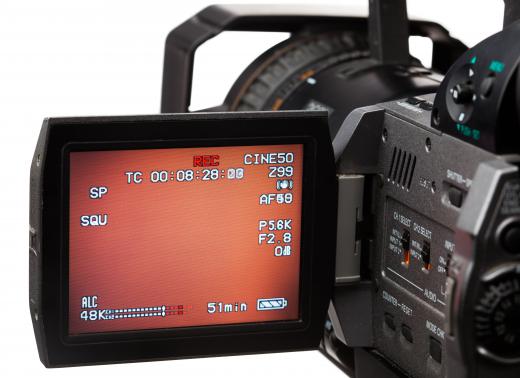
By: nikkytokCamcorders are commonly used for audio-video recording.


Discussion Comments
Very informative! Thanks for showing clearly how to record audio. I'd recommend Acethinker Audio Recorder which I have been using for many years. It supports recording system and microphone or both. I always take it to capture sound to make video for my YouTube channel so that I can share with friends. It works so well that I haven't found some defects.
Thanks for this brief tutorial! You could also try using an Olympus Voice Recorder Software.
Although your article is informative regarding the fact that I/You can create an audio/video, it's totally unclear on how to do that. I want to learn how to do it and as anon 51591 states, I want to create a how-to audio/video to post on my web-site for quilters. How do I do that?
i just want to know how to remove the audio from one video so that i may be able to use it multiple times like a soundboard option for my videos.
this is more of a question. i can make a video but i have no sound. i have the Windows movie maker. i don't think i need a mic because Skype has been used on my laptop. what do i need to do? i really need this help.
i am using a dazzle video capture device on my dv mini camcorder and i get the video from the tiny cassettes every time but i don't get the audio from the tapes.
i go through the s-video and the sound plays as the tape is playing but at playback there is no sound.
i am just trying to save my old family videos before they get gone off these dv tapes. please help. i would really like to have the sound of my kids with the video. signed panda bear 57
Good article on audio video. I want to make a how to audio video, in this case, one demonstrating how to rebuild a classic auto part.
I've divided the process into 6 segments: (1) a short audio-video review of the part and its purpose; (2) a breakdown of the three major components of the part; (3) Dismantling of the part, beginning with component no. 1, and then to no. 2 and no. 3; (4) cleaning procedure; (5) and finally reassembly.
I plan to have the video concentrate on the component and my hands as I work with the component (I don't wish to waste time and space on anything no directly related to the procedure).
Although I may insert some audio as I go through the procedures, I plan to add/edit the audio that describes each procedure afterwards.
Q. What size hard disc do you recommend I have available, and how can I add a hard disc just for doing these cds, now and later on?
I want to create an audio voice CD.
I also will probably need to edit it as I develop it.
I have recorded my voice on my mp3 player and could place that on a cd, but would I be able to edit that???
It would be similar to creating an audio CD for a book or a story and having the ability to edit it.
I don't quite know what you mean. If you want to record your voice, you only need to get a mic, plug it into your sound card, and record using built-in software. (Every OS has built in softw for this kind of thing.) Save this as a file, and import it into the A/V program to use as the sound track.
If you mean that you want to record the radio and use THAT as a soundtrack, then either pull up the radio station on your computer (if it exists on the Web) and use a capture program to capture it to a file. Then do the same as above, OR...
If it's not on the Internet, pipe it in to the line-in on your sound card, by connecting a cord between that and the headphones jack on your stereo system.
i get how to upload it and create it... but what about recording the audio like a radio, how can we do that?
Post your comments